DQM ONLINE
Game server
Sign in to 403world.com from the game client to play.
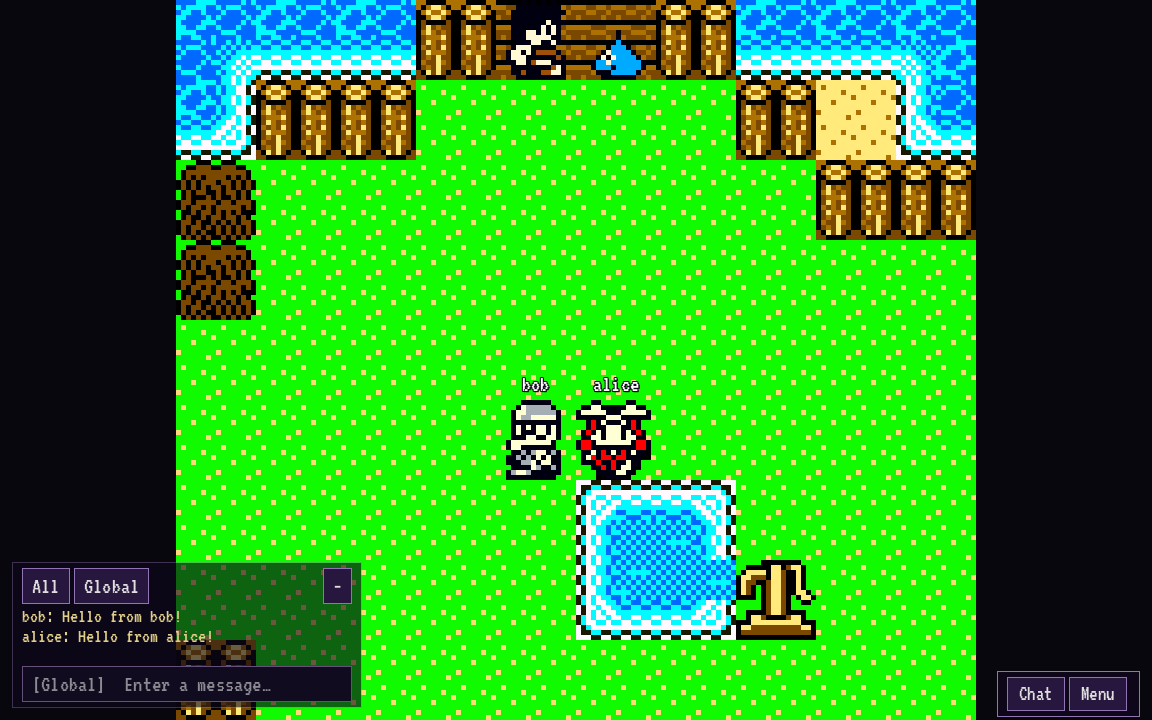
Join the game.
- Download DQM Online for your device.
- Open the client and select your own unmodified Cobi’s Journey USA ROM when prompted.
- Create an account in the client, or sign in with your existing account. Leave the server set to
403world.com. - Choose Continue to load an adventure, or New adventure to begin at the family farm.
Your character
Open Menu → Appearance to choose from 85 sprite styles and 59 colors. Your choice is saved to your account and visible to nearby players.
Your progress
Keep up to three adventures on one account. Progress saves automatically while you play and when you switch adventures, log out, or quit. Sign in on another device to continue.
Play requires an internet connection. If your connection drops, the game stops and your next login resumes from the last completed save. Progress since that save may be lost.
Available now
Cobi’s Journey campaign, nearby players, global chat, character appearances, automatic saves, and Windows, Linux, and Android clients. Multiplayer visibility is limited to supported campaign areas.
Not available yet
Player battles, trading, breeding, parties, starter selection, and additional regions are not ready to play. Optional Iru and Caravan Heart ROM imports are available, but their regions cannot be entered yet.
Controls
Use a keyboard or gamepad on desktop. Android supports a D-pad or analog stick, adjustable control size, and full-screen stretch in Menu → Settings.
Updates
Clients check for updates automatically. Desktop clients save and restart to apply an update. Android opens the installer for you to confirm.
Bring your own compatible ROM. It stays on your device and is not uploaded. Please read the project notice before playing.
Download ↓